
Restaurant POS and billing built into the floor view
ScanServe's point of sale runs in the browser on any laptop, tablet or phone — there is no terminal to buy. Cashiers work from the same floor view as waiters, so a table's QR orders, staff orders and reorders combine into one bill instead of separate tickets.
Billing that matches how tables actually behave
Guests reorder. ScanServe keeps all active orders on a table in one bill until it is settled, so late items are never lost.
- Combined table bill across reorders
- Order sources: dine-in, takeaway, phone and home delivery
- Delivery and packaging charges shown before the guest confirms
- Mark paid and release the table in one action
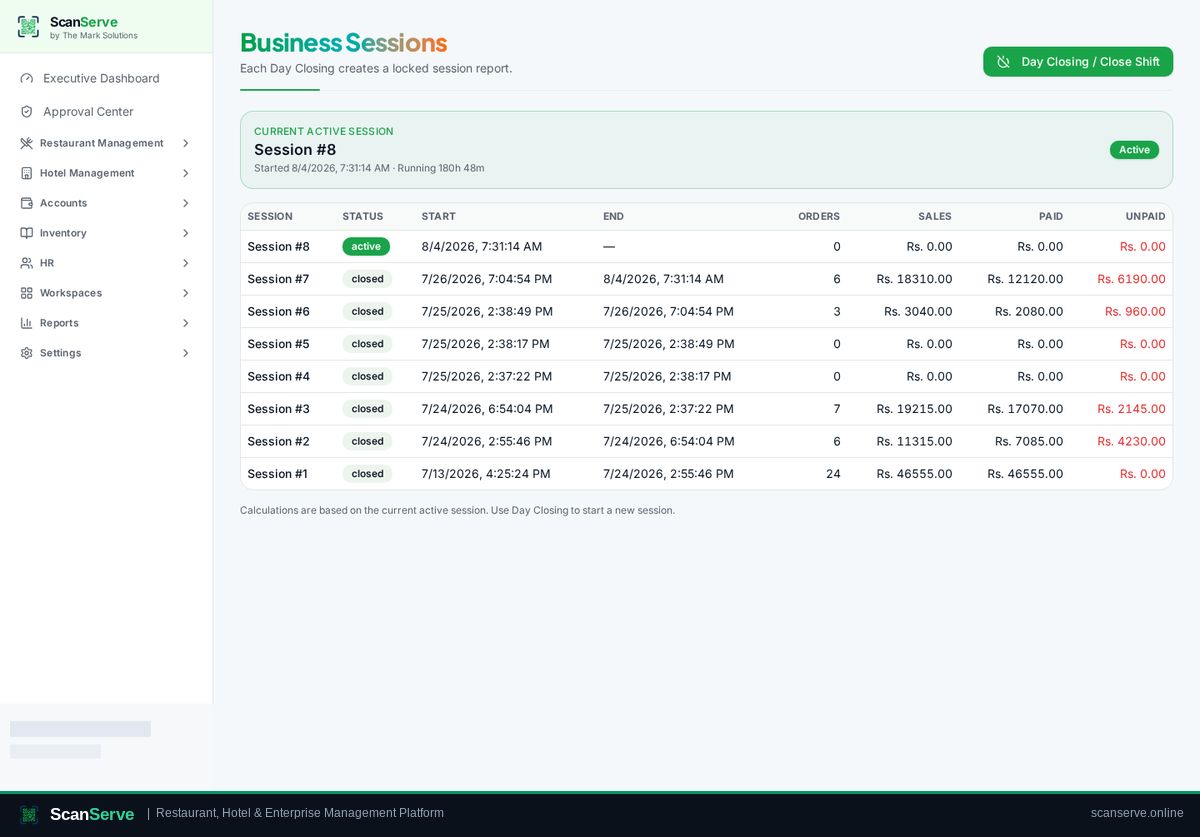
Shift sessions and cash control
A session opens with a declared cash float and closes with counted cash, so a shortfall is visible at handover rather than at month end.
- Opening float, collections by method and closing count
- Rider cash-on-delivery settlement inside the session
- Session report exported as a branded PDF
Printing
Tickets and bills print to standard and thermal printers through the print queue, and every document can be produced as a PDF instead.
- Kitchen tickets and guest bills
- ESC/POS thermal printing support
- A4 and A5 layouts plus PDF download
Step-by-step guides
Frequently asked questions
- Does the POS need special hardware?
- No. It runs in a normal browser; thermal printing is supported through the print queue when a printer is configured.
- Where do POS sales appear?
- In sales and session reports, and as revenue postings in Accounts & Finance.
Related pages
See it running in your own venue
Start free, or open the interactive demo first.