
QR ordering from table, room or delivery card
ScanServe issues QR codes for three situations — a table, a delivery area card, and a hotel room stay — and each one opens the right ordering experience for that guest. Nothing is installed, and orders arrive on the kitchen screen within seconds.
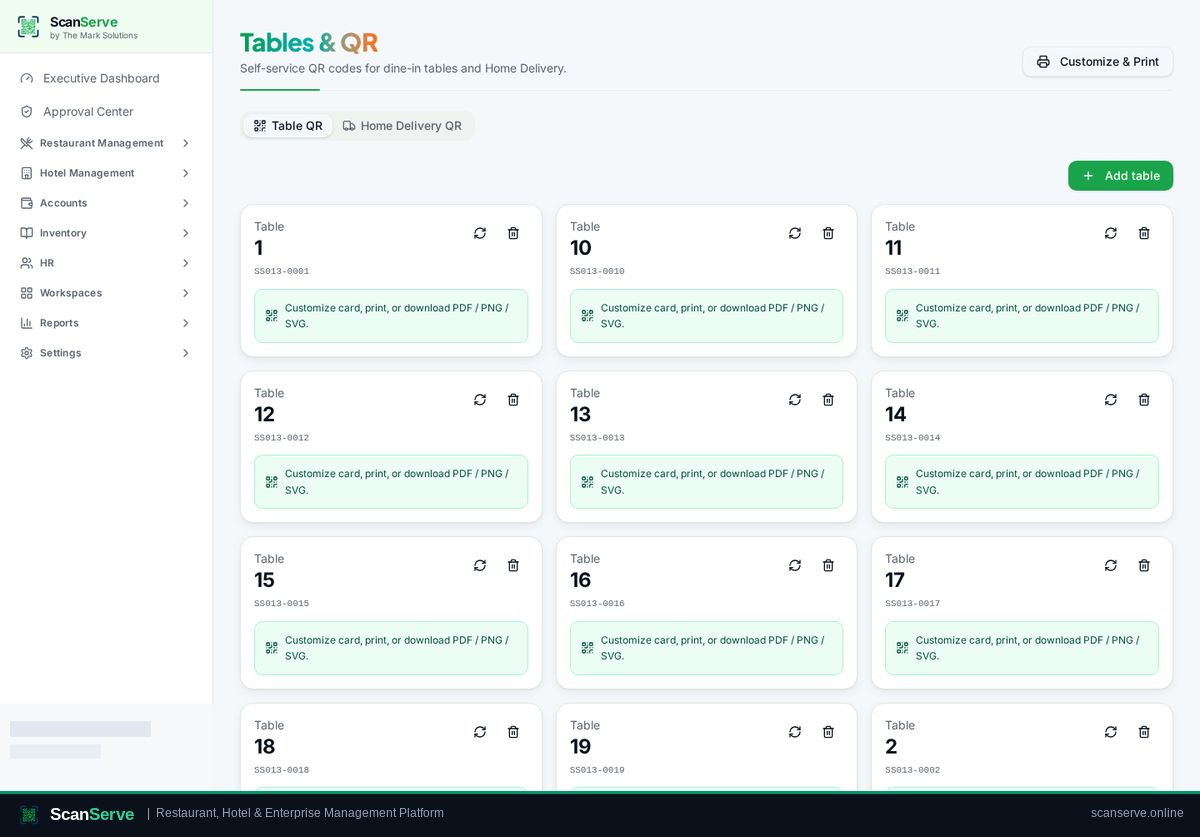
Three kinds of QR, one workflow
The code identifies the context, so staff always know where an order belongs.
- Table QR: order is attached to the table and its bill
- Delivery QR card: area, delivery charge and customer details
- Hotel stay QR: room service billed to the guest folio
Guest experience
The guest page is mobile-first, in the guest's chosen language, and shows exactly what will be charged before confirming.
- Price breakdown including delivery charges
- Language switcher for guests
- Live status after ordering
Control for staff
QR codes can be regenerated or deactivated, and platform admins can cancel a code if needed.
- Regenerate or deactivate a code
- Per-card delivery charge
- Reprint at A5, custom size or PDF
Step-by-step guides
Frequently asked questions
- What happens if a QR card is lost?
- Generate a replacement for that table or card; the old one can be deactivated.
- Does QR ordering work for hotel room service?
- Yes, the stay QR posts room-service orders onto the guest folio.
Related pages
See it running in your own venue
Start free, or open the interactive demo first.