
Business dashboards for every role, not one generic screen
A cashier, a housekeeper and an accountant do not need the same screen. ScanServe gives each workspace its own dashboard with the figures that role can act on, while the owner's executive view sits above them all.
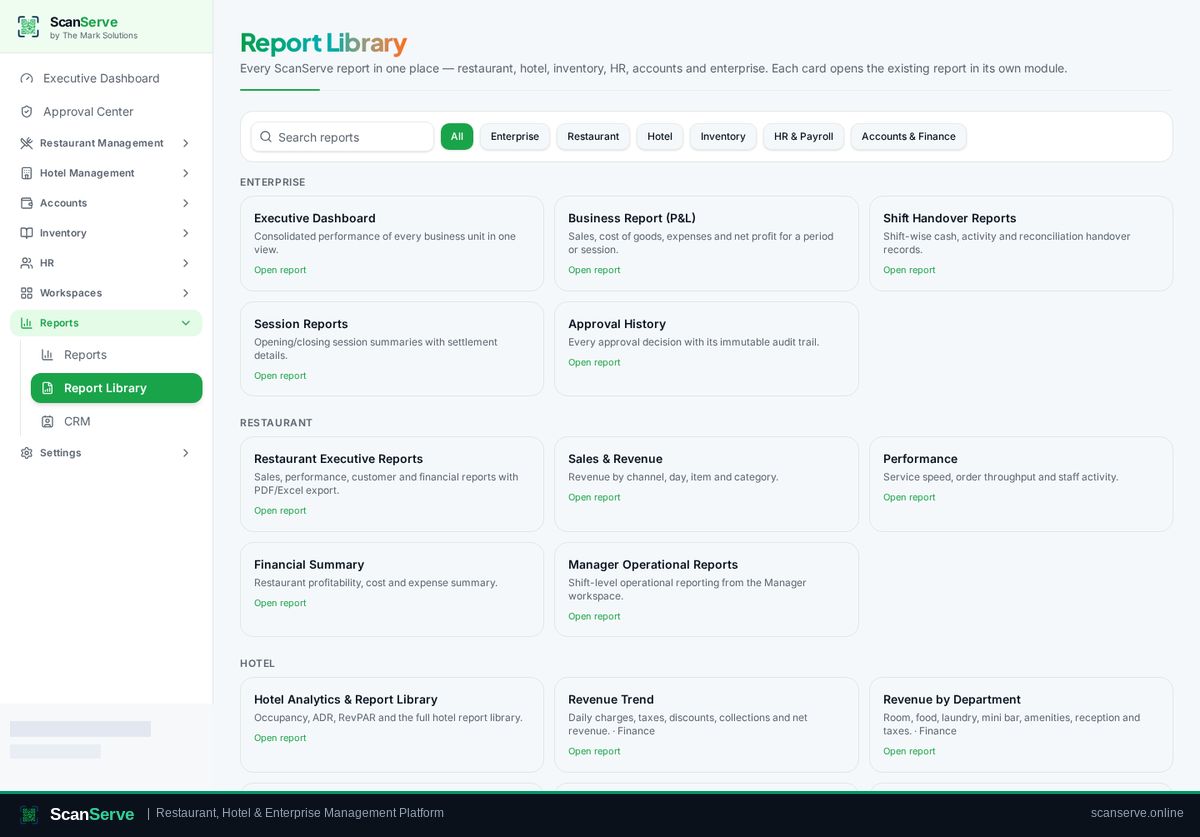
Workspace dashboards
Each workspace opens on the state of its own work: open tables, production load, arrivals, low stock, pending requests or cash position.
- Restaurant floor and session state
- Kitchen and waiter queues
- Reception arrivals and requests
- Inventory, HR and finance summaries
Consistent reporting
Dashboards and reports share the same figures and the same branded document format across workspaces.
- Universal report layout
- Report Library of every available report
- PDF export with logo and audit footer
Access control
Navigation is generated from the signed-in role, so staff never see configuration or finance screens they should not.
- Role-based navigation
- Configuration kept out of operational workspaces
- Owner override when needed
Step-by-step guides
Frequently asked questions
- Can we customise which figures a role sees?
- Dashboards follow the role's workspace; owners can open any workspace to review it.
- Are dashboards live?
- Operational screens update as orders, requests and statuses change.
Related pages
See it running in your own venue
Start free, or open the interactive demo first.