
Central inventory: buy once, issue to every store
ScanServe inventory follows the flow a real operation uses: supplier to purchase order to goods receipt into the central store, then requisition and issue out to the kitchen, bar, housekeeping or laundry. Every movement is an immutable transaction, and balances are held per store rather than as one shared number.
Item master and stores
Items live at organization level with SKU, units and conversions, while stores represent the physical locations that hold them.
- Organization-level item master and suppliers
- Purchase, stock and recipe units with conversion
- Real store entities, not labels
- Moving average cost per item
Movement engine
Requisitions, issues and transfers each have a status lifecycle and are applied atomically, so balances cannot drift.
- Requisition, issue, transfer and receive
- Batch consumption for perishable items
- Immutable stock transaction ledger
- Stock counts with variance recording
Valuation, alerts and reports
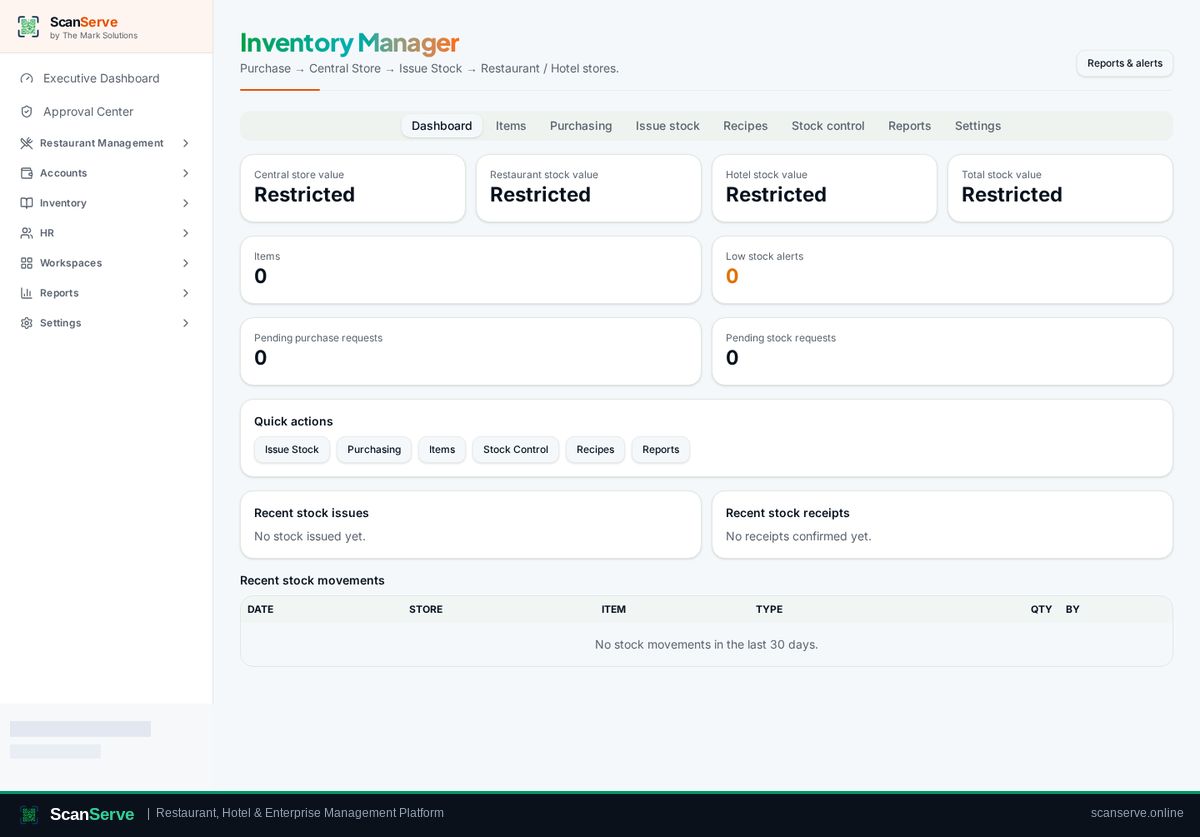
The dashboard shows total valuation and items below their threshold; the reporting centre covers movement, consumption and variance.
- Valuation by store and organization
- Low-stock thresholds per item and store
- Movement, consumption and variance reports
Step-by-step guides
Frequently asked questions
- Can a kitchen and a bar keep separate stock?
- Yes. Each is a store with its own balances, fed from the central store.
- Can stock transactions be edited later?
- No. They are immutable; corrections are new movements, which keeps the audit trail intact.
Related pages
See it running in your own venue
Start free, or open the interactive demo first.