
Owner workspace
Approve spending & staff requests
One inbox for purchase requests, payments and other actions that need Owner sign-off.
3 steps · real ScanServe screens- 1
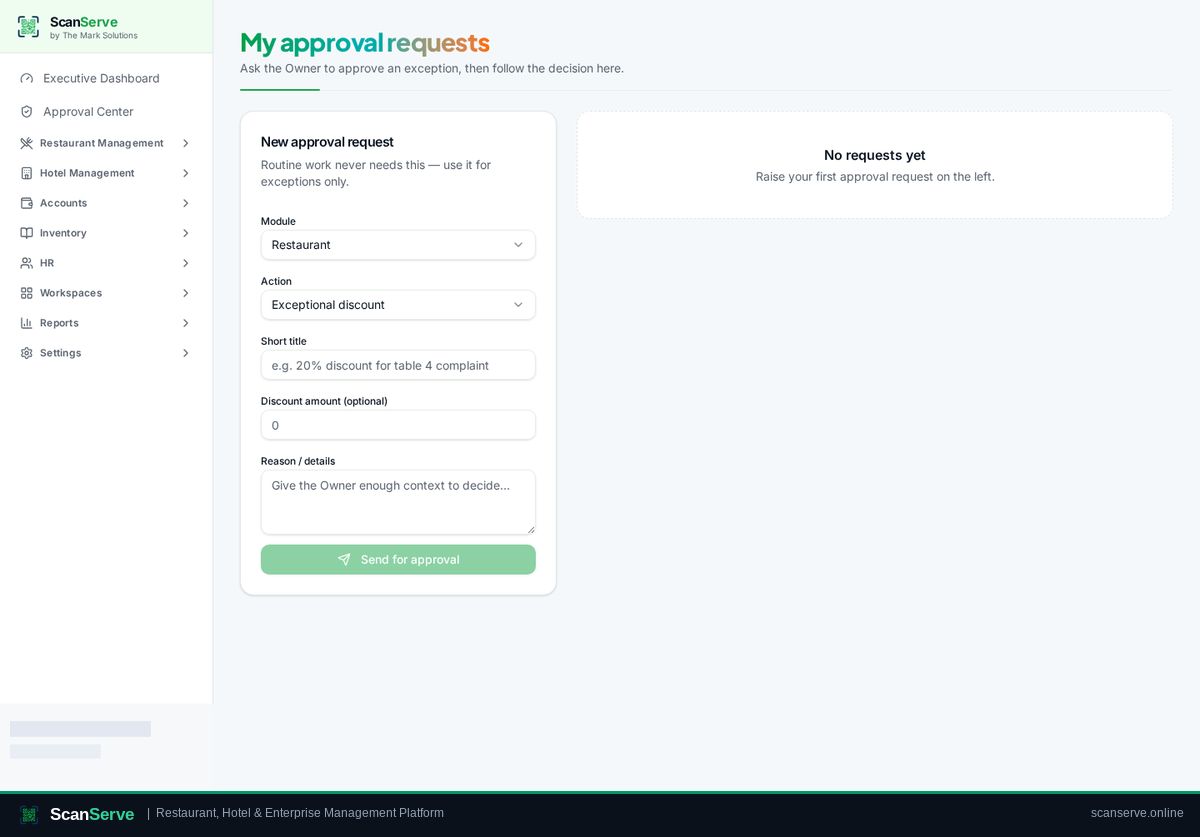
Step 1: Staff raise a request
Staff submit a request from My Requests inside their workspace.
- 2
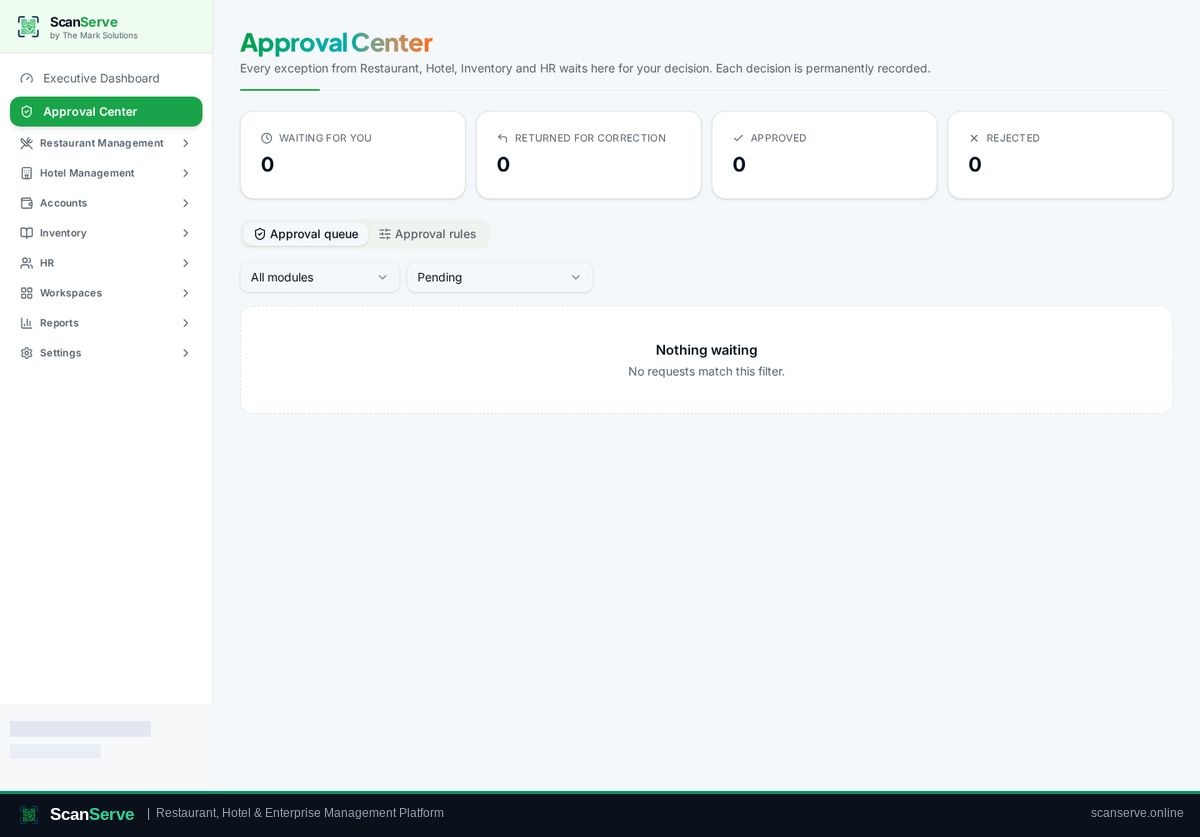
Step 2: Open the Approval Center
Click Approval Center — pending items appear with a badge.
Result: Approve or reject
Review the request and approve or reject it; the decision is stored in an immutable history.